 TfL Platforms
TfL Platforms
Live arrivals for the platform you stand on and the bus stop you wait at.
Tube, DLR, Elizabeth line, London Overground and London buses, in the app, on your Home Screen and on your Lock Screen.
New: Full support for iPhone Duo and iPad

 Scan with your
iPhone camera
What it does
Save the few places you travel from, and see when the next one is coming without digging through a whole station.
-
 Your platform
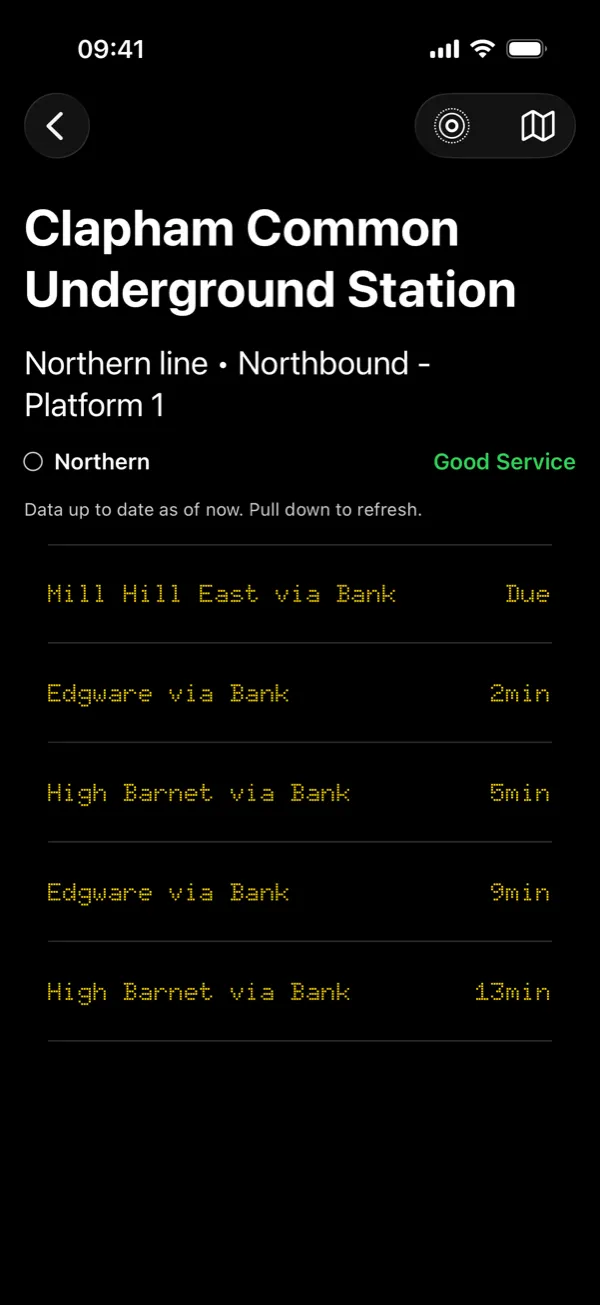
Save a Tube, DLR, Elizabeth line or London Overground platform, and see only the trains that stop there, with where each is heading.
-
 Your bus stop
Save a London bus stop and route. Optionally, a snowflake marks buses that are likely to be air-conditioned.
-
Line status
Each platform's board shows whether your line is running normally. If it isn't, tap it for TfL's reason.
-
Live line mapPLUS
See every train running your platform's way on a map, and whether there is an unusually long wait ahead of you. More about the map.
-
Live bus mapPLUS
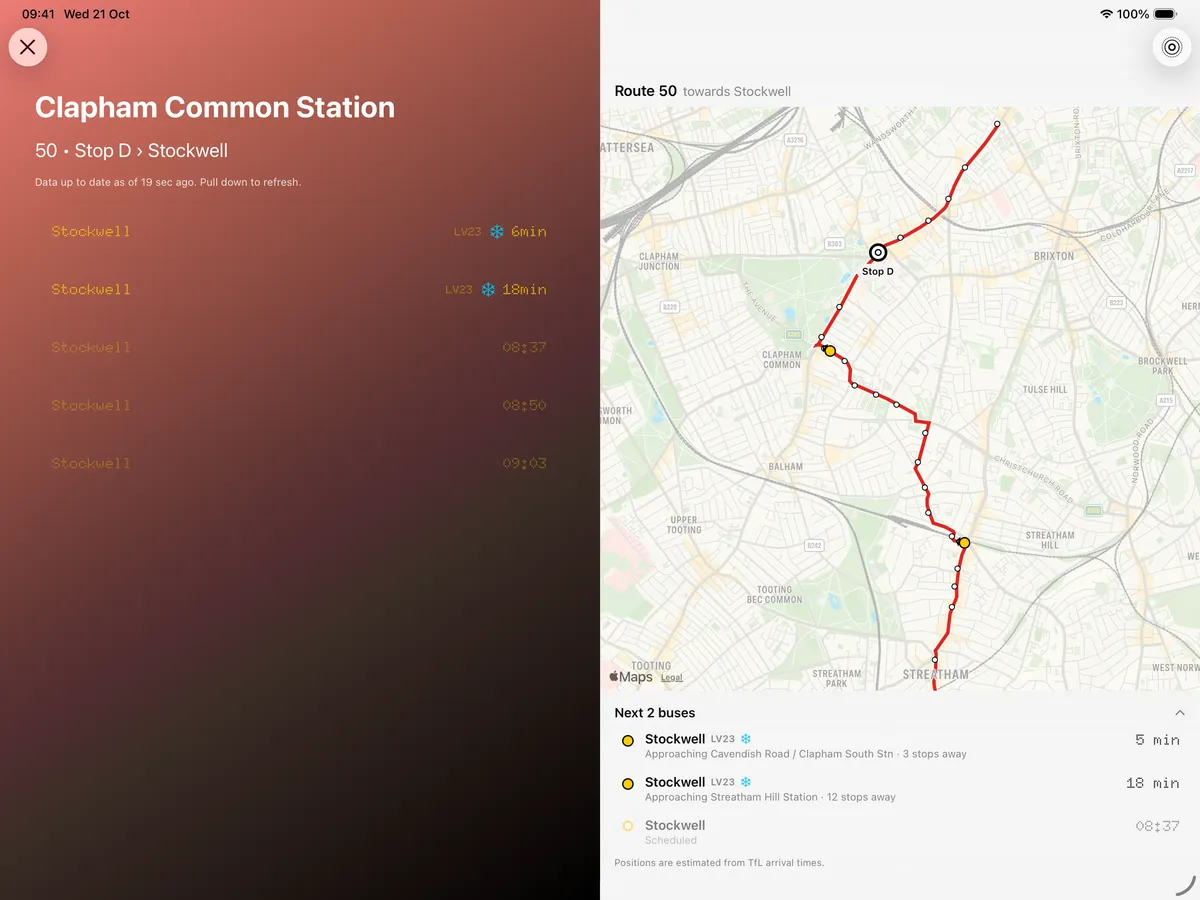
See the next three buses on the road to your stop, with how many stops each has to go.
-
Live ActivitiesPLUS
Follow a platform or stop on your Lock Screen and in the Dynamic Island, with arrivals updated every minute.
-
WidgetsPLUS
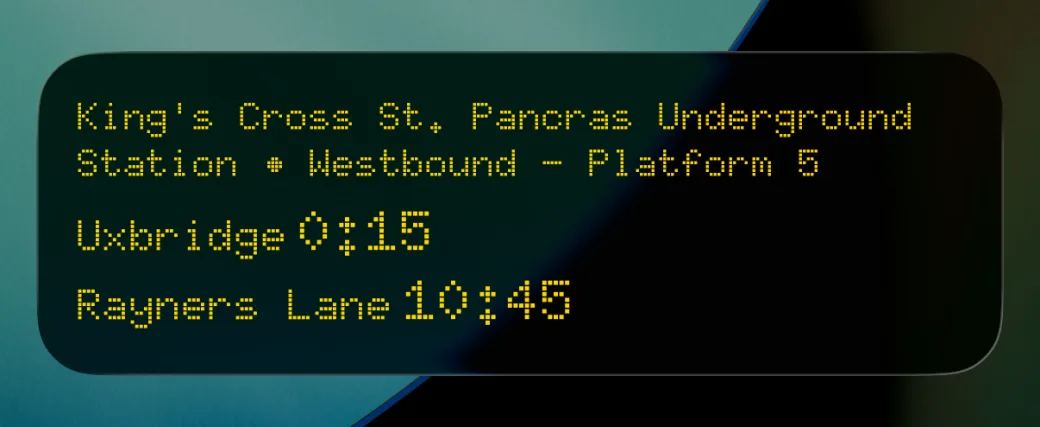
Medium and large Home Screen widgets show your saved platforms at a glance, counting down to the next arrival.
-
Nearest first
Switch it on and the app opens straight to the saved platform you are standing near. Your location stays on your phone.
-
Everywhere
Your saved platforms sync between your devices through iCloud. No account to make.
TfL Platforms is free. Plus adds Live Activities, widgets and the live line and bus maps, for £1.99 a month or £13.99 a year after a two-week free trial. If you got the app before it went free, you have Plus for life.
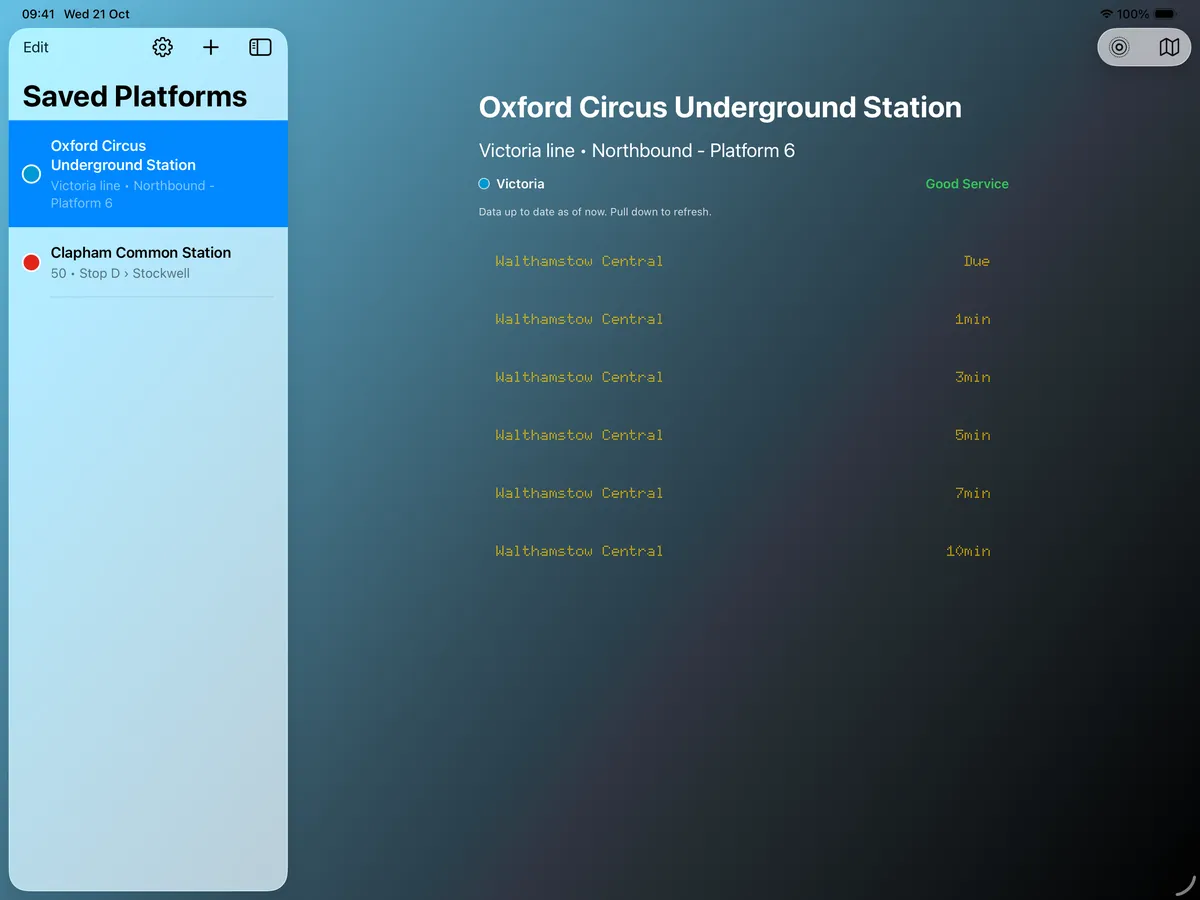
Two columns on iPhone Duo and iPad
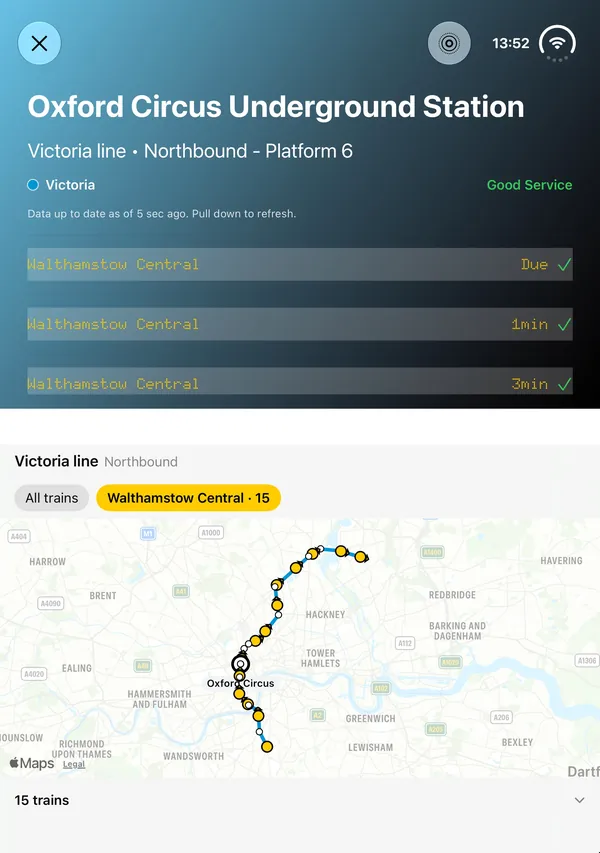
On a wide screen, your saved platforms sit beside the board. With Plus, the live line or bus map opens next to the board, so you see the minutes to arrival and where the trains or buses are at the same time.
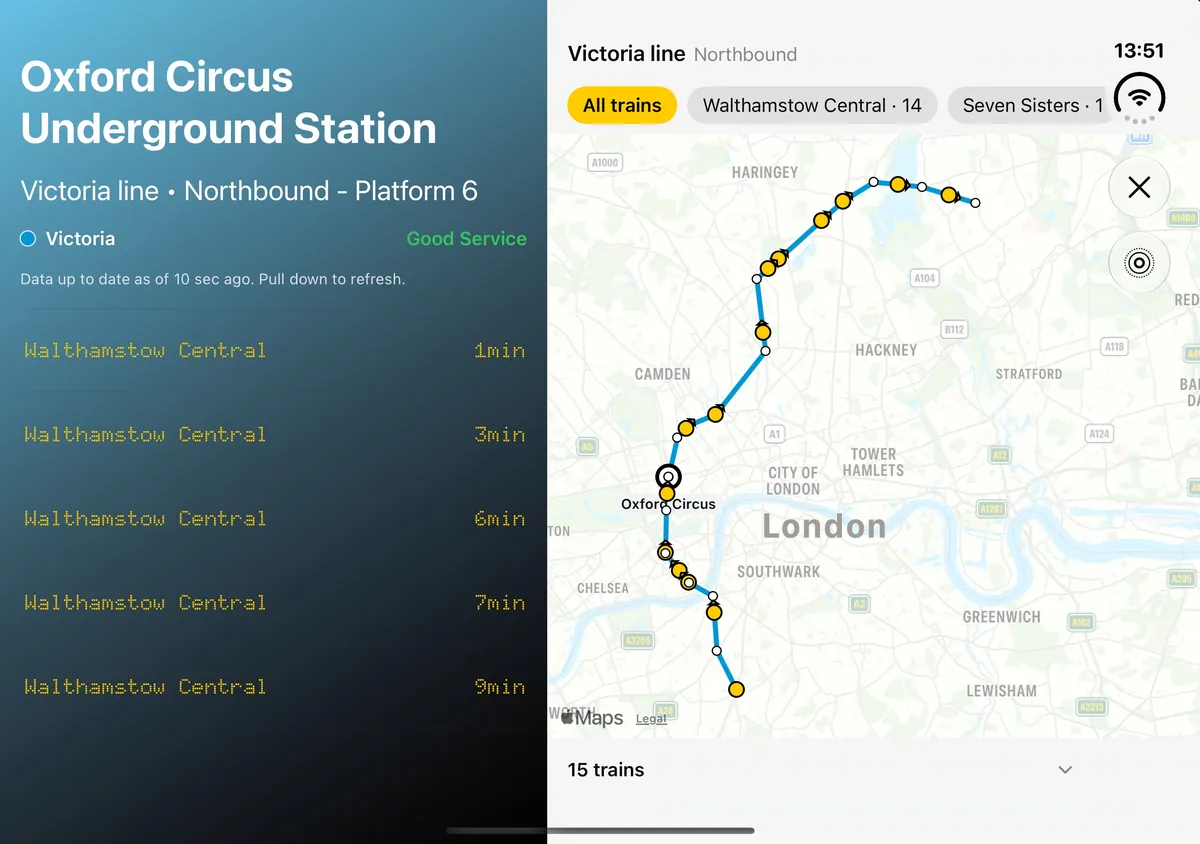
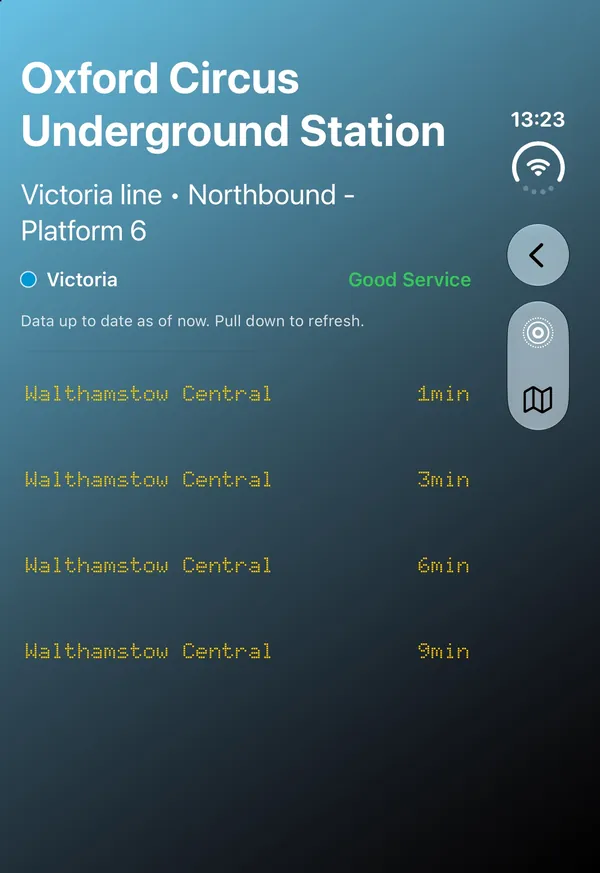
- Open it like a book. Your saved platforms sit on the left and the board on the right. Open the map and it takes the right half, with the board on the left.
- Stand it like a laptop. With the map open, the board sits above the fold and the map below it.
- Close it. The app works as it does on any iPhone, with its buttons in a column down the side of the screen.
On iPad
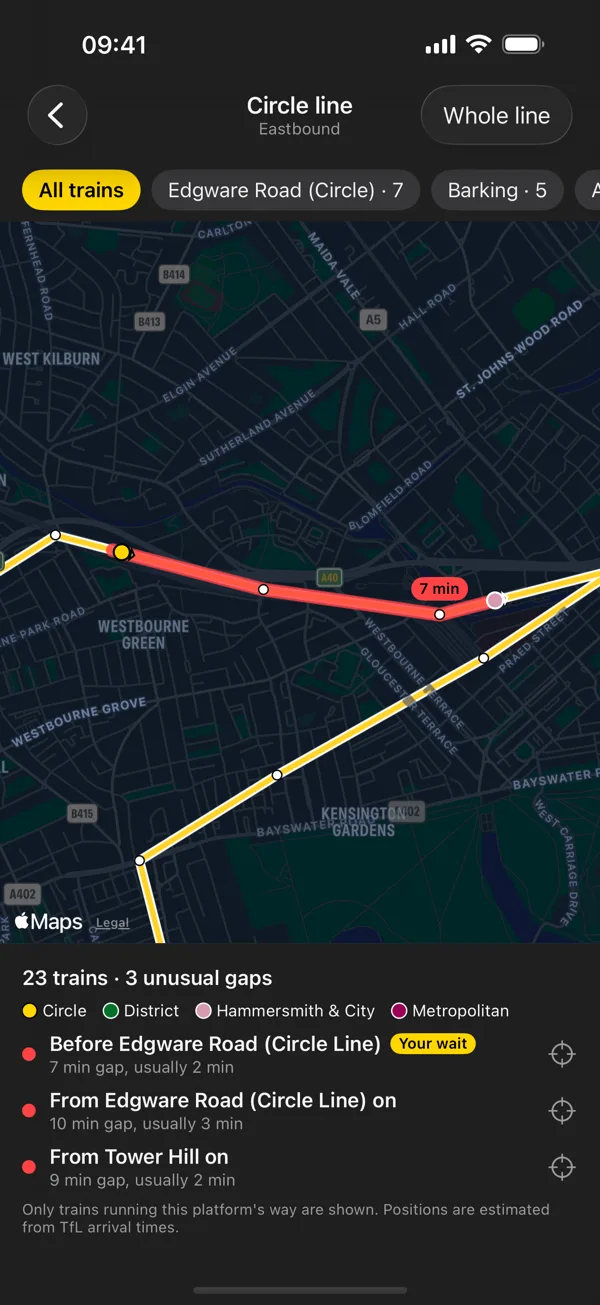
Every train on the line
With Plus, tap the map on a Tube platform's board to see the line live, with the trains running your platform's way, and find out whether the wait you are facing is normal.
- Where each train is and which way it is heading. Tap one for where it is going and its next station. Where lines share the track, as round the Circle, their trains are shown too, in their own colours.
- Gaps in the service. When two trains are much further apart than usual, the stretch between them is marked with the wait and what it usually is. Gaps are judged among the trains you are looking at, and the ones you would wait through at your platform come first.
- Just your trains. Pick destinations, or on the Northern line a branch, to bring their trains forward. The ones you chose on the board come with you.
Tube lines only. TfL publishes arrival times, not where trains are, so positions are estimated from those times.
Screenshots
From iPhone.
-
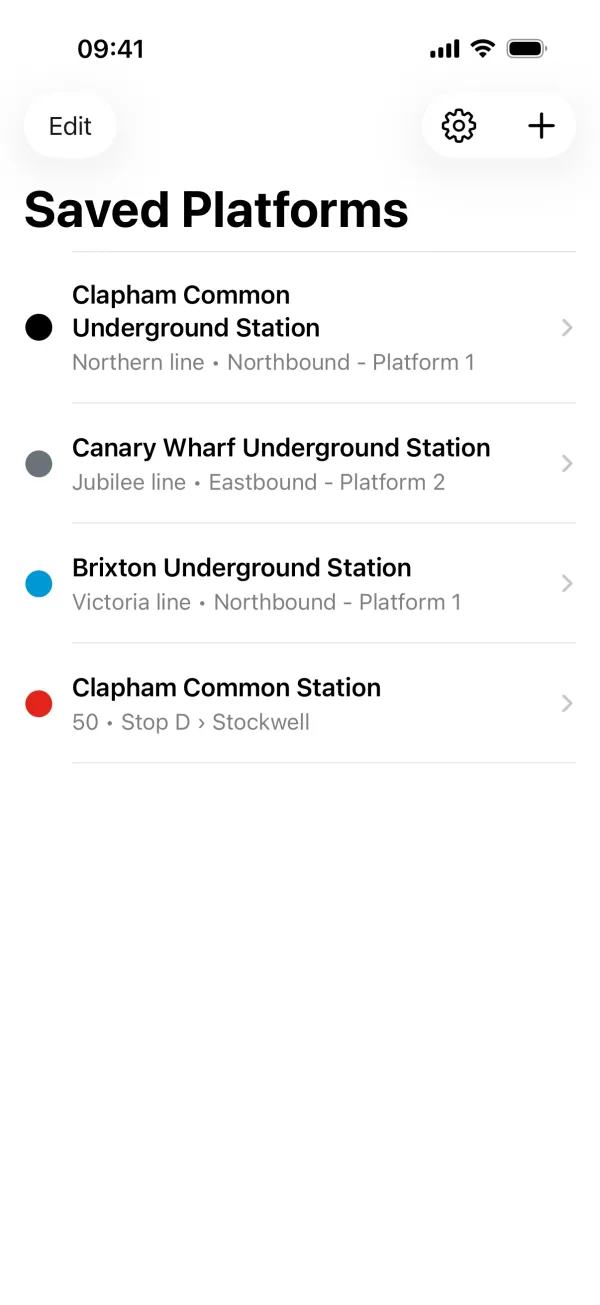
Your platforms and bus stops, in the order you choose. -
A platform's board: the line's status, then the next trains. -
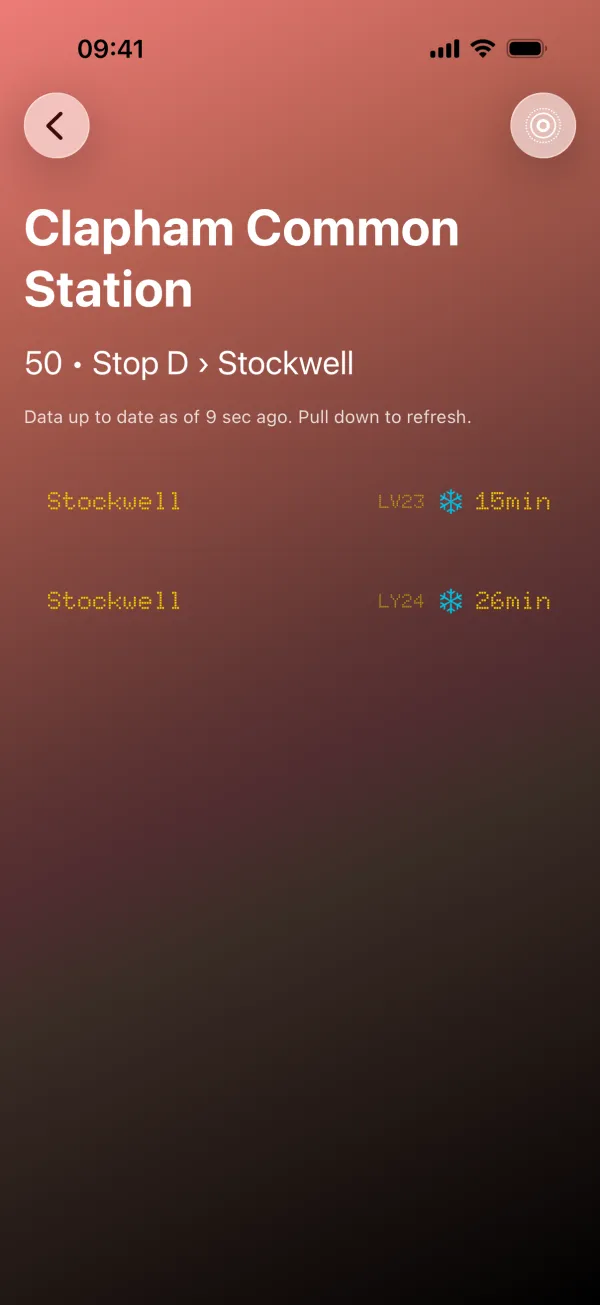
A bus stop's board. The snowflake marks buses likely to be air-conditioned. -
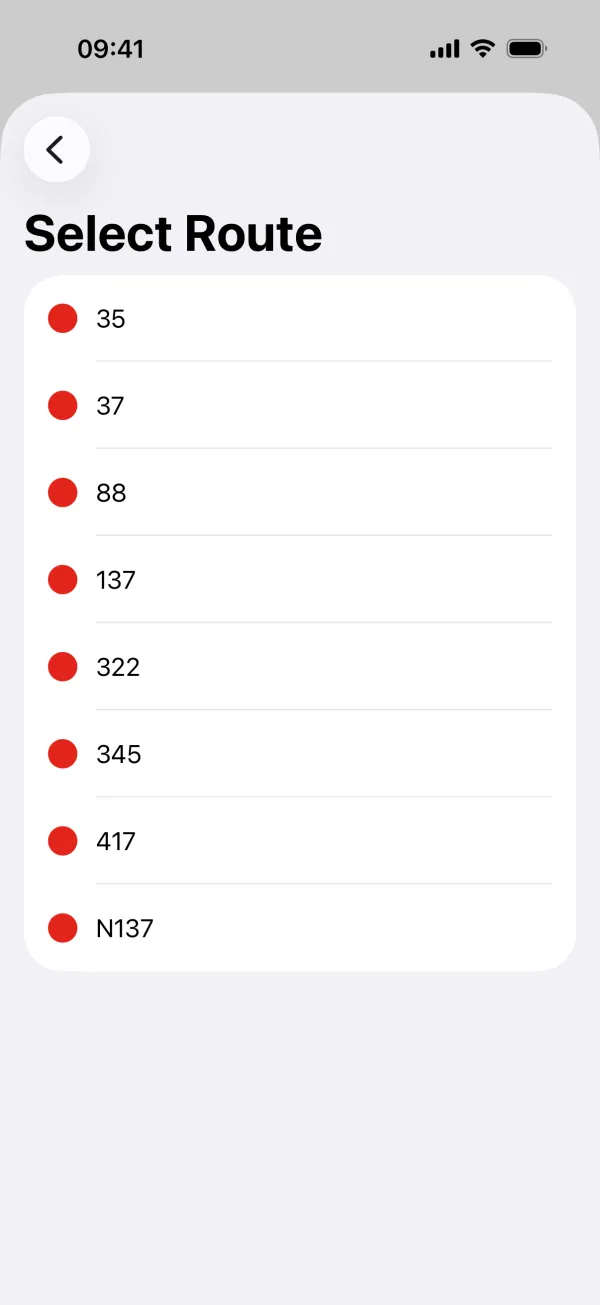
Find a bus stop by name or by route, then pick the route you take. -
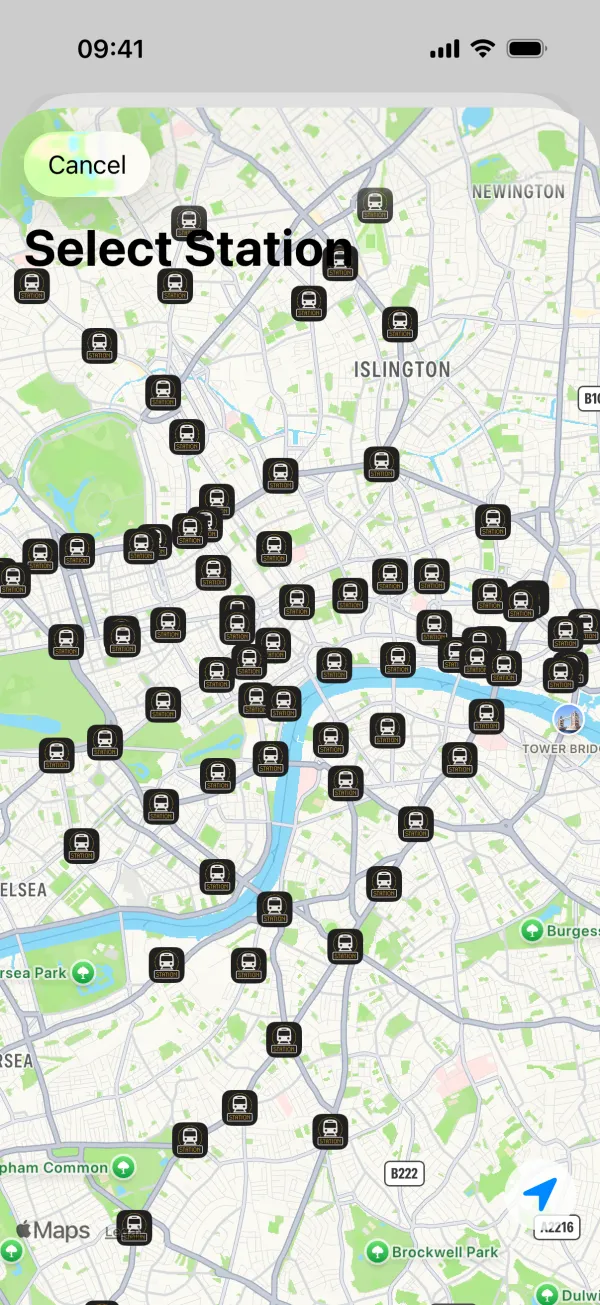
Or pick a station from the map. -
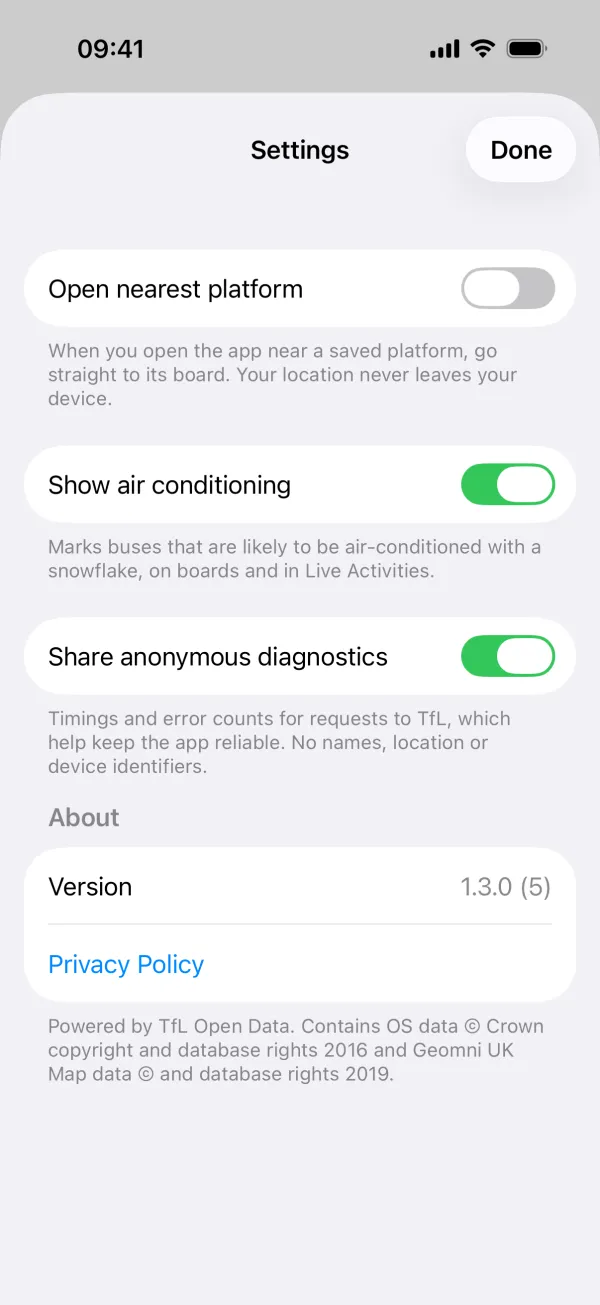
Settings: open the nearest platform, show air conditioning, and diagnostics you can switch off.

Privacy Policy
Last updated: 21 October 2026
TfL Platforms has no accounts, no adverts and no tracking. It does not collect your name, contact details or location, and nothing it sends can be linked to you. This page sets out what does leave your device, and why.
Arrival times
Arrival times, timetables, bus routes and line status come from Transport for London's (TfL) open data. The app requests them through our own server, which runs on Cloudflare and passes the request on to TfL. As with any internet request, Cloudflare processes your IP address in order to answer it. We do not keep a record of it or use it to identify you.
Your saved platforms
The platforms and bus stops you save are stored on your device. If iCloud is switched on for the app, Apple syncs them between your own devices through your iCloud account. We cannot see them.
Location
If you allow it, the app uses your location to centre the station map and the bus stop map and, when you switch that setting on, to open your nearest saved platform. Your location is used on your device only. It is never sent to us or to anyone else.
Live Activities
When you start a Live Activity, the app sends our server the platform or bus stop you are following and a token that lets Apple deliver updates to that Live Activity. The token identifies the Live Activity, not you. We delete this when the Live Activity ends, and in any case within 12 hours.
Plus
Plus is bought through the App Store, and Apple handles the payment. The app checks with the App Store whether you have Plus and keeps the answer on your device. We never receive your payment details or your Apple Account.
Anonymous diagnostics
To keep the app reliable, it sends anonymous diagnostics: when the app is opened, brought to the front or put in the background, how long requests to TfL took, whether they failed, and the TfL identifiers of the station and line requested. They contain no names, no location and no device or user identifiers. They are processed by Honeycomb, a monitoring service, on our behalf. You can switch this off in the app under Settings, "Share anonymous diagnostics".
Third-party services
- Transport for London: arrival times and line status.
- Cloudflare: runs the servers the app talks to.
- Apple: the maps, iCloud sync, Live Activity updates and Plus purchases.
- Honeycomb: anonymous diagnostics.
None of them receive your name, contact details or location from the app. This website uses no cookies or analytics.
Changes to this policy
If the app changes what it sends, this page will be updated and the date above will change.
Contact
Questions about this policy: app@tflplatforms.co.uk